00. 선수 지식
여기서 등장하는 핵심 개념들을 미리 살펴보겠습니다.
- 딥링크는
mhl://labs/data와 같은 커스텀 URL로 앱의 특정 화면을 실행하는 기능입니다. - AndroidManifest.xml에서
exported="true"로 설정된 액티비티는 외부에서 이런 방식으로 호출될 수 있습니다. - JNI는 Java에서 C/C++로 작성된 네이티브 코드(
.so파일)를 호출하는 인터페이스이며, SharedPreferences는 앱 데이터를 영구 저장하는 키-값 저장소입니다. - AES/CBC는 대칭키 암호화 방식으로, 복호화하려면 키와 IV(초기화 벡터)가 필요합니다.
- Frida는 실행 중인 앱의 메모리와 함수를 조작할 수 있는 동적 분석 도구이고, ADB는 Android 기기를 제어하는 명령줄 도구입니다.
- 메모리 덤프는 실행 중인 프로세스의 메모리를 파일로 저장하여 암호화된 데이터나 숨겨진 문자열을 찾아내는 기법입니다.
01. 초기 분석
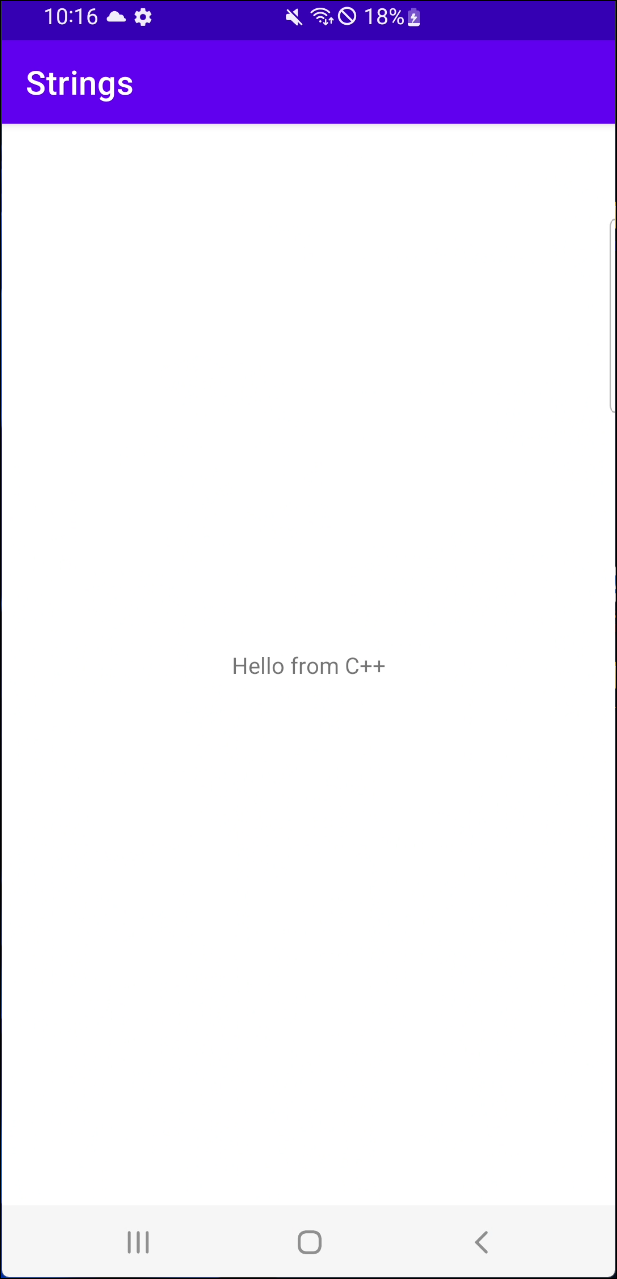
앱을 실행하면 초기화면에서 Hello from C++라는 메시지가 출력됩니다. 화면에는 그 외에는 별다른 내용이 보이지 않습니다.
AndroidManifest.xml 분석
<activity
    android:name="com.mobilehackinglab.challenge.Activity2"
    android:exported="true">
    <intent-filter>
        <action android:name="android.intent.action.VIEW"/>
        <category android:name="android.intent.category.DEFAULT"/>
        <category android:name="android.intent.category.BROWSABLE"/>
        <data
            android:scheme="mhl"
            android:host="labs"/>
    </intent-filter>
</activity>
<activity
    android:name="com.mobilehackinglab.challenge.MainActivity"
    android:exported="true">
    <intent-filter>
        <action android:name="android.intent.action.MAIN"/>
        <category android:name="android.intent.category.LAUNCHER"/>
    </intent-filter>
</activity>
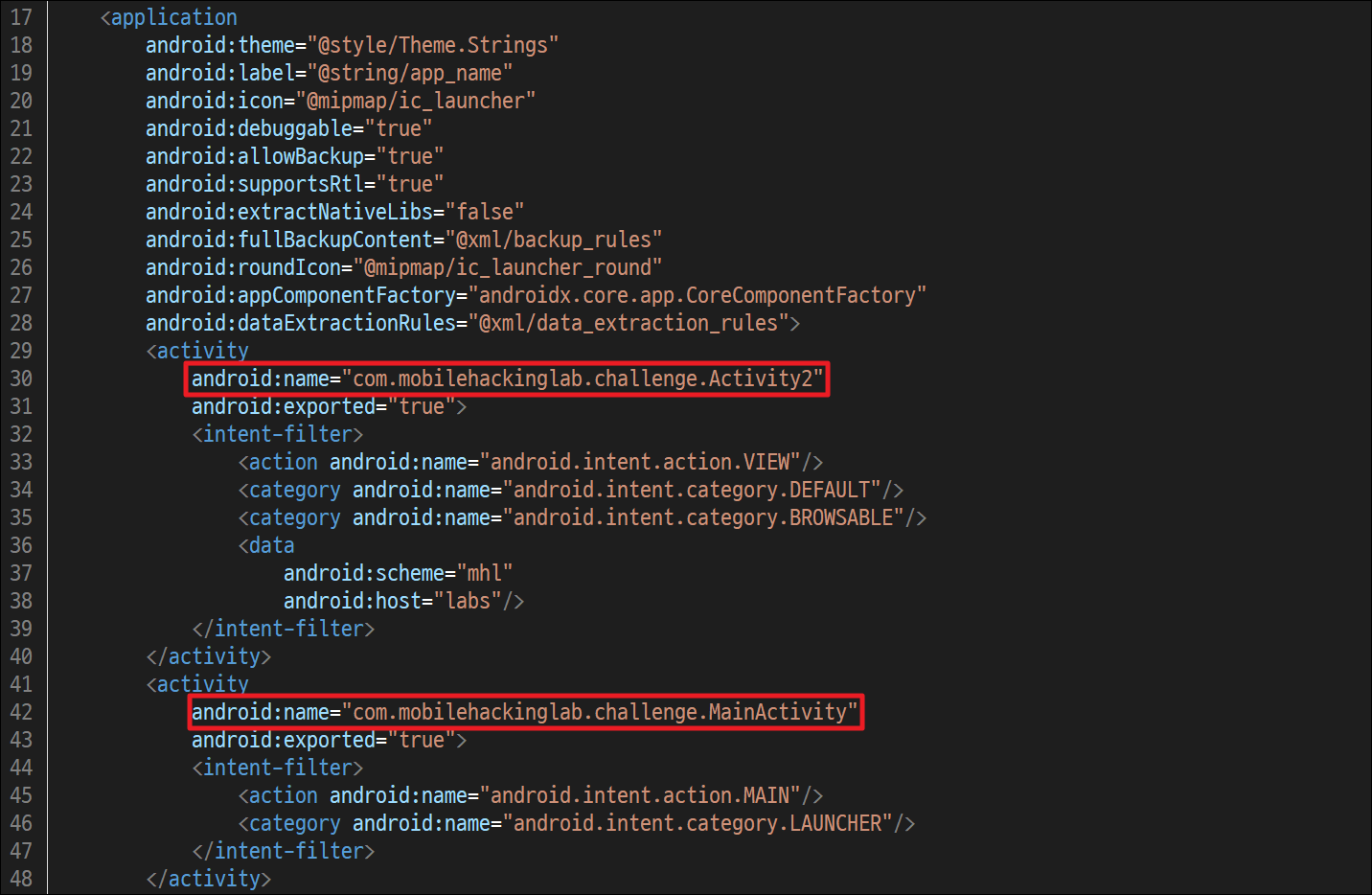
두 개의 액티비티의 exported 속성이 true로 설정되어 있는 것을 발견했습니다. 이는 해당 액티비티가 다른 앱에서 접근이 가능하다는 의미입니다. 또한, 이 액티비티(Activity2)는 android.intent.action.VIEW 인텐트 액션과 함께 커스텀 URL 스킴인 mhl://labs를 처리하도록 연결되어 있습니다.
MainActivity.java
public final native String stringFromJNI();
// ...
static {
    System.loadLibrary("challenge"); // libchallenge.so 라이브러리 로드
}
// ...
activityMainBinding.sampleText.setText(stringFromJNI());
stringFromJNI() 메서드는 Java에서 네이티브(C/C++) 라이브러리에 접근하여 해당 라이브러리에 존재하는 함수를 호출하고 문자열을 반환합니다.
System.loadLibrary() 메서드는 libchallenge.so라는 이름의 네이티브 라이브러리를 메모리에 로드합니다.
public final void KLOW() {
        SharedPreferences sharedPreferences = getSharedPreferences("DAD4", 0);
        SharedPreferences.Editor editor = sharedPreferences.edit();
        Intrinsics.checkNotNullExpressionValue(editor, "edit(...)");
        SimpleDateFormat sdf = new SimpleDateFormat("dd/MM/yyyy", Locale.getDefault());
        String cu_d = sdf.format(new Date());
        editor.putString("UUU0133", cu_d);
        editor.apply();
    }
KLOW() 함수는 DAD4라는 내부 저장소 파일을 생성하고, 그 안에 UUU0133이라는 이름으로 오늘 날짜를 저장합니다. MainActivity 코드 내에 구현은 존재하지만 실제로 호출하는 부분이 없습니다.
Activity2.java
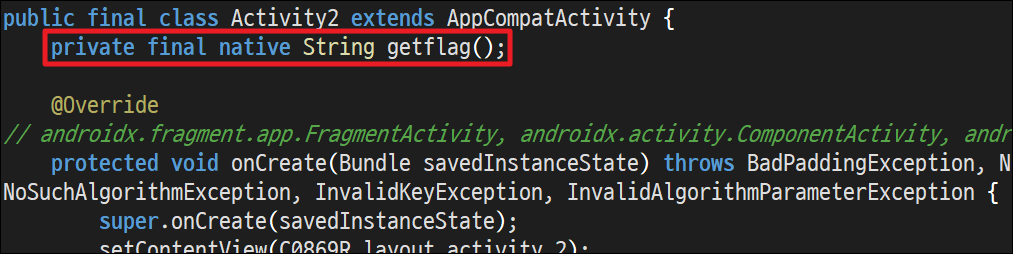
가장 눈에 들어온 것은 getflag() 메서드입니다.
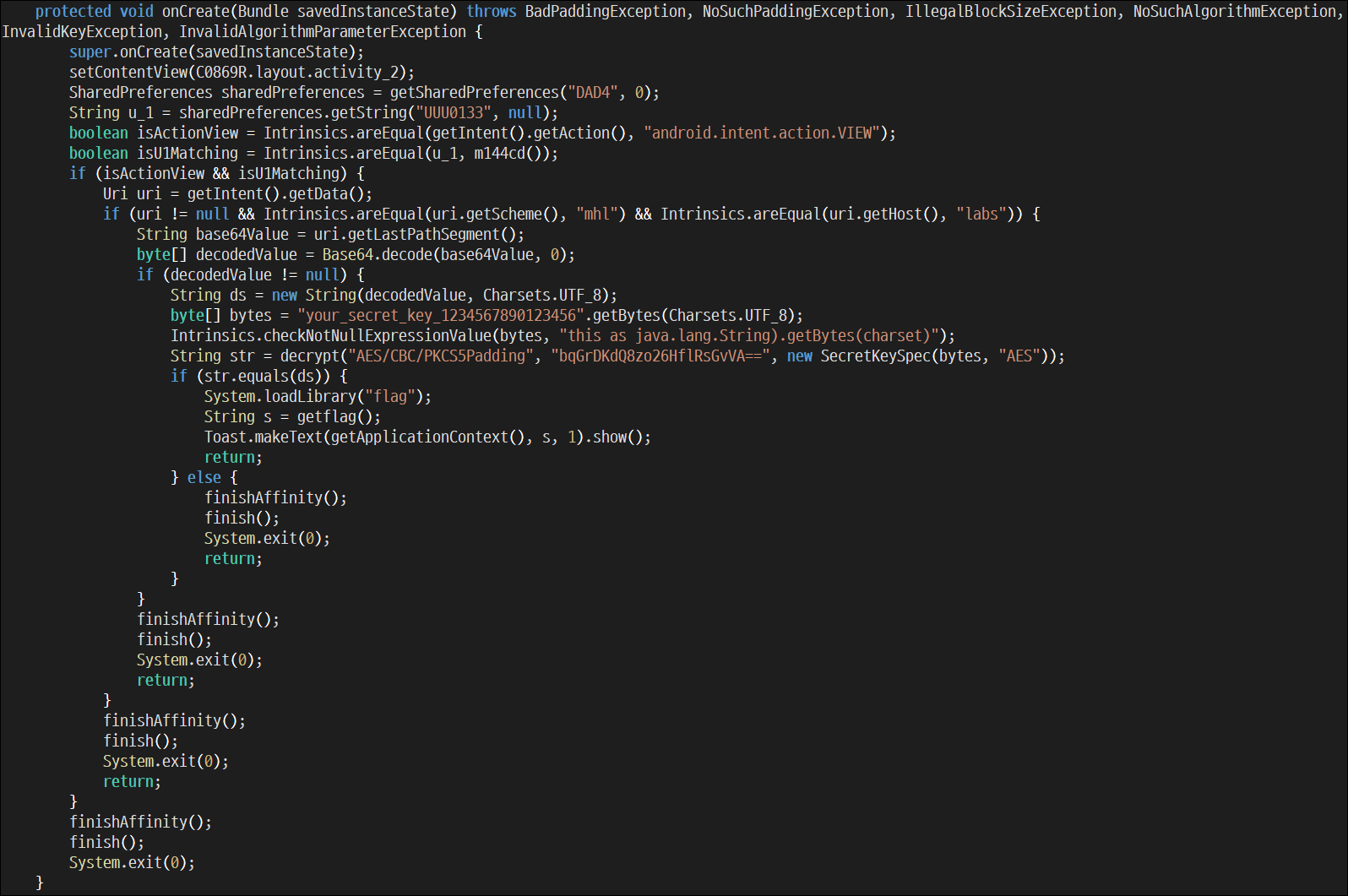
protected void onCreate(Bundle savedInstanceState) throws BadPaddingException, NoSuchPaddingException, IllegalBlockSizeException, NoSuchAlgorithmException, InvalidKeyException, InvalidAlgorithmParameterException {
    super.onCreate(savedInstanceState);
    setContentView(R.layout.activity_2);
    SharedPreferences sharedPreferences = getSharedPreferences("DAD4", 0);
    String u_1 = sharedPreferences.getString("UUU0133", null);
    boolean isActionView = Intrinsics.areEqual(getIntent().getAction(), "android.intent.action.VIEW");
    boolean isU1Matching = Intrinsics.areEqual(u_1, cd());
    if (isActionView && isU1Matching) {
        Uri uri = getIntent().getData();
        if (uri != null && Intrinsics.areEqual(uri.getScheme(), "mhl") && Intrinsics.areEqual(uri.getHost(), "labs")) {
            String base64Value = uri.getLastPathSegment();
            byte[] decodedValue = Base64.decode(base64Value, 0);
            if (decodedValue != null) {
                String ds = new String(decodedValue, Charsets.UTF_8);
                byte[] bytes = "your_secret_key_1234567890123456".getBytes(Charsets.UTF_8);
                Intrinsics.checkNotNullExpressionValue(bytes, "this as java.lang.String).getBytes(charset)");
                String str = decrypt("AES/CBC/PKCS5Padding", "bqGrDKdQ8zo26HflRsGvVA==", new SecretKeySpec(bytes, "AES"));
                if (str.equals(ds)) {
                    System.loadLibrary("flag");
                    String s = getflag();
                    Toast.makeText(getApplicationContext(), s, 1).show();
                    return;
                    ...
플래그를 보여주기 위해 총 4단계로 구성되어 있습니다. 하나라도 실패 시 System.exit(0)로 인해 앱이 종료됩니다.
SharedPreferences 검사
SharedPreferences sharedPreferences = getSharedPreferences("DAD4", 0);
String u_1 = sharedPreferences.getString("UUU0133", null);
// ...
boolean isU1Matching = Intrinsics.areEqual(u_1, m144cd());
// ...
if (isActionView && isU1Matching) { ... }
MainActivity에서 만들어져야 할DAD4파일의UUU0133값과 현재 날짜가 일치하는지 여부를 확인합니다.KLOW()메서드가 실행되지 않았다면 파일도 생성되지 않았고, 결과적으로u_1은 null이 되므로 다음 단계로 이어지지 않습니다.
Intent 및 Deep Link 검사
boolean isActionView = Intrinsics.areEqual(getIntent().getAction(), "android.intent.action.VIEW");
// ...
Uri uri = getIntent().getData();
if (uri != null && Intrinsics.areEqual(uri.getScheme(), "mhl") && Intrinsics.areEqual(uri.getHost(), "labs")) { ... }
- 앱이 실행되는 방식이 android.intent.action.VIEW여야 합니다. 이는 브라우저 링크 등을 통해 실행되는 경우입니다.
- 또한 주소(URI) 형식이 mhl://labs로 시작해야 합니다. 단순히 앱 아이콘을 눌러서 실행하면 안되며, Deep Link를 통해 접속해야 합니다.
Secret Key 검사
URL의 마지막 부분(uri.getLastPathSegment())을 가져와 검증합니다.
String base64Value = uri.getLastPathSegment(); // URL의 마지막 부분
byte[] decodedValue = Base64.decode(base64Value, 0); // Base64 디코딩
String ds = new String(decodedValue, Charsets.UTF_8); // 사용자가 입력한 값

// 비교할 정답 생성 과정 (복호화)
byte[] bytes = "your_secret_key_1234567890123456".getBytes(Charsets.UTF_8);
String str = decrypt("AES/CBC/PKCS5Padding", "bqGrDKdQ8zo26HflRsGvVA==", new SecretKeySpec(bytes, "AES"));

if (str.equals(ds)) { // 사용자가 입력한 값(ds) == 복호화된 (str)
    System.loadLibrary("flag");
    String s = getflag();
    Toast.makeText(getApplicationContext(), s, 1).show();
}
- 암호화 정보:
- 알고리즘: AES / CBC / PKCS5Padding
- 키 (Key):
your_secret_key_1234567890123456 - 암호문 (CipherText):
bqGrDKdQ8zo26HflRsGvVA==
복호화에 필요한 초기화벡터가 보이지 않습니다.
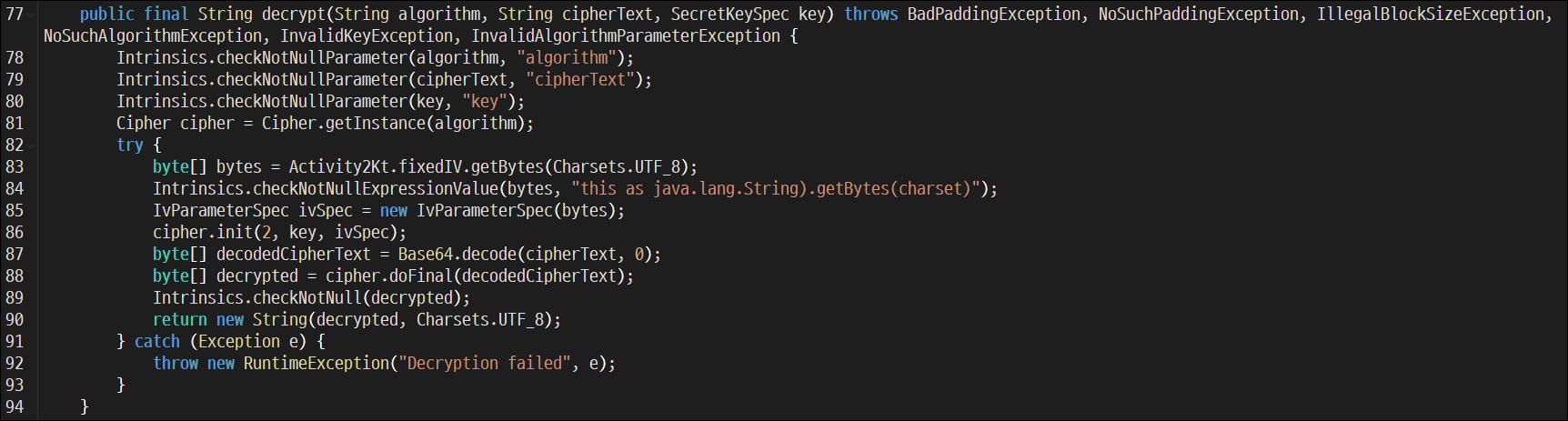
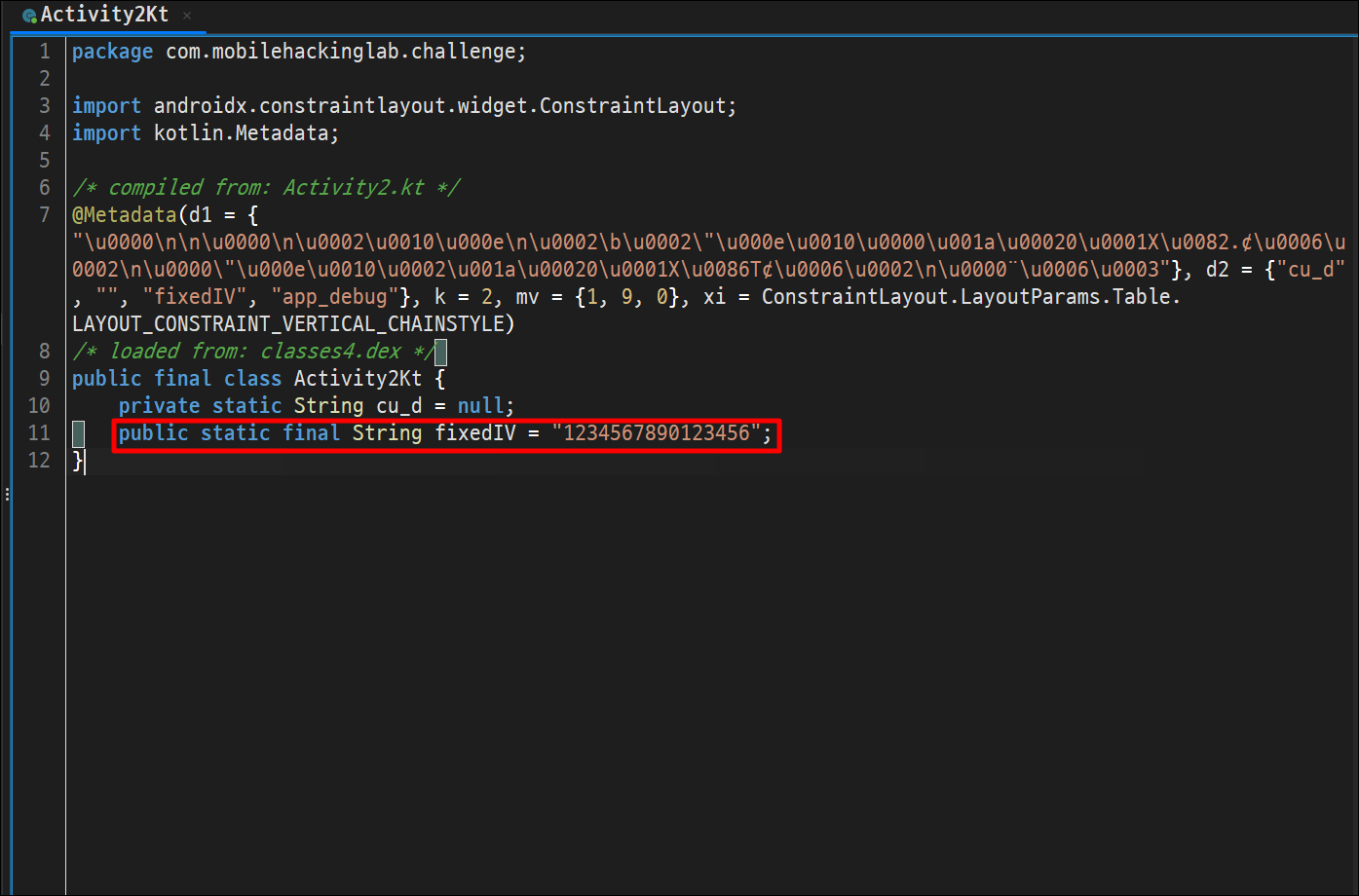
Activity2Kt 내에서 IV 값을 확인할 수 있습니다.
public static final String fixedIV = "1234567890123456";
IV (초기화 벡터): Activity2Kt.fixedIV
위 정보를 토대로 복호화 진행 시 평문인 mhl_secret_1337 값을 획득할 수 있습니다. 우리가 DeepLink를 통해 URI 전달 시 끝에 부분은 Base64로 디코딩을 진행하므로 인코딩 후 전송합니다.
mhl://labs/ + Base64("mhl_secret_1337")
02. 익스플로잇
1단계: KLOW() 호출
KLOW가 호출되지 않았기 때문에 검증 단계에 도달하지 못합니다. Frida를 사용해 먼저 해당 함수를 호출하여 파일이 생성되도록 했습니다.
Java.perform(function () {
    setTimeout(function () {
        Java.choose("com.mobilehackinglab.challenge.MainActivity", {
            onMatch: function(instance){
                instance.KLOW();
            },
            onComplete: function(){}
        });
    }, 1000);
});
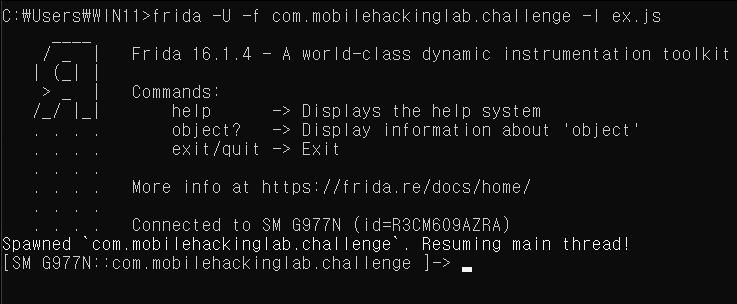
C:\Users\WIN11>frida -U -f com.mobilehackinglab.challenge -l ex.js
     ____
    / _  |   Frida 16.1.4 - A world-class dynamic instrumentation toolkit
   | (_| |
    > _  |   Commands:
   /_/ |_|       help      -> Displays the help system
   . . . .       object?   -> Display information about 'object'
   . . . .       exit/quit -> Exit
   . . . .
   . . . .   More info at https://frida.re/docs/home/
   . . . .
   . . . .   Connected to SM G977N (id=R3CM609AZRA)
Spawned `com.mobilehackinglab.challenge`. Resuming main thread!
[SM G977N::com.mobilehackinglab.challenge ]->
정상적으로 동작 후 기기 내 접속 시 DAD4.xml파일이 생성되었음을 확인했습니다.
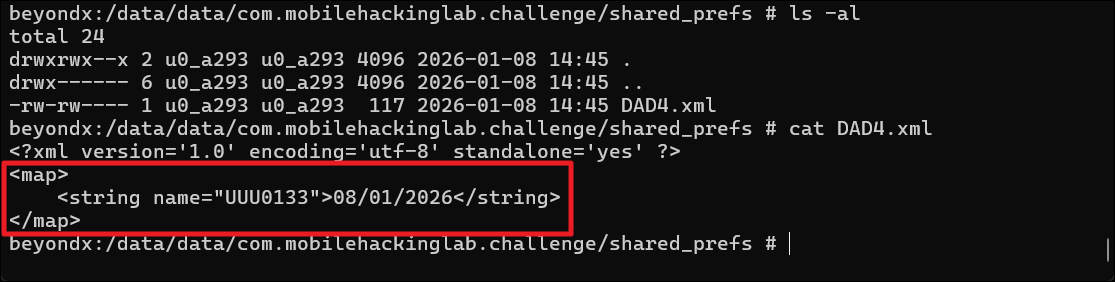
beyondx:/data/data/com.mobilehackinglab.challenge/shared_prefs # ls -al
total 24
drwxrwx--x 2 u0_a293 u0_a293 4096 2026-01-08 14:45 .
drwx------ 6 u0_a293 u0_a293 4096 2026-01-08 14:45 ..
-rw-rw---- 1 u0_a293 u0_a293  117 2026-01-08 14:45 DAD4.xml
beyondx:/data/data/com.mobilehackinglab.challenge/shared_prefs # cat DAD4.xml
<?xml version='1.0' encoding='utf-8' standalone='yes' ?>
<map>
    <string name="UUU0133">08/01/2026</string>
</map>
2단계: 딥링크 트리거
KLOW()를 활성화한 후, 인텐트를 트리거하겠습니다.
adb shell am start -a android.intent.action.VIEW -d "mhl://labs/bWhsX3NlY3JldF8xMzM3" -n com.mobilehackinglab.challenge/.Activity2
Starting: Intent { act=android.intent.action.VIEW dat=mhl://labs/bWhsX3NlY3JldF8xMzM3 cmp=com.mobilehackinglab.challenge/.Activity2 }
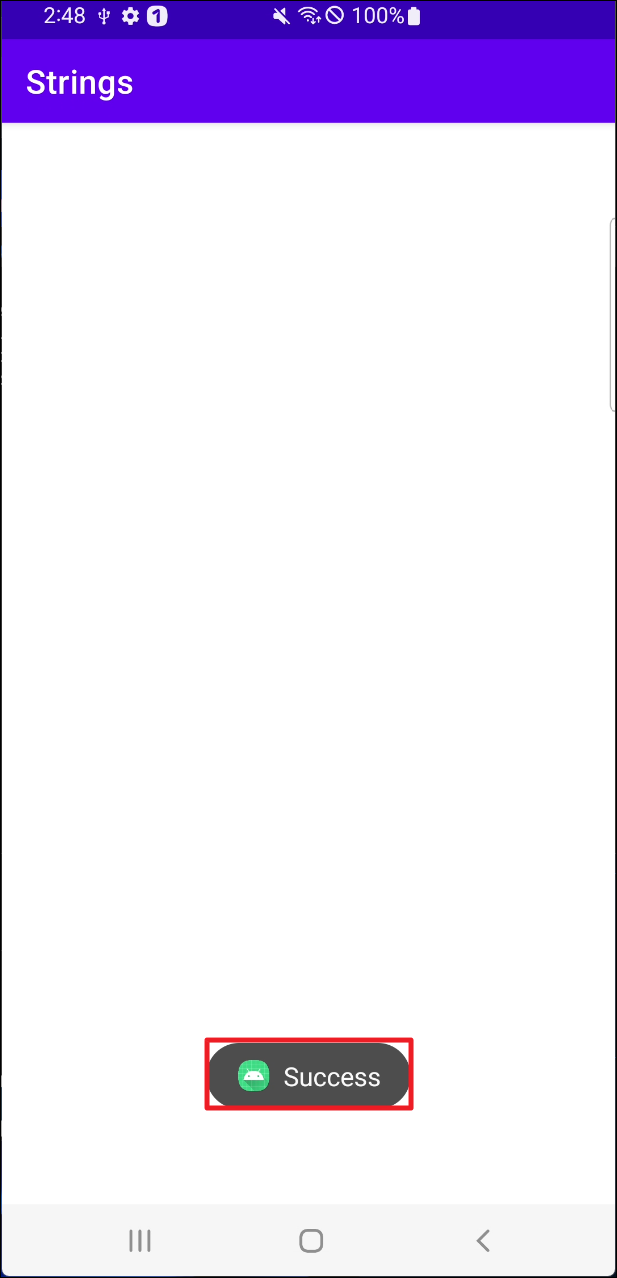
기기에 화면 단에 Success가 표시되었지만 실제로 플래그가 나타나지는 않았습니다. 이는 이제 라이브러리에 존재하는 플래그가 출력까지는 진행하지 않았음을 확인했습니다.
3단계: 메모리스캔
메모리 내에 저장된 문자열을 확인하기 위해 덤프 후 플래그 패턴인 MHL를 검색했습니다.
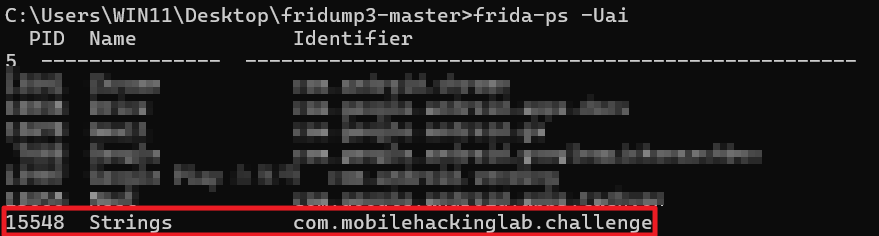
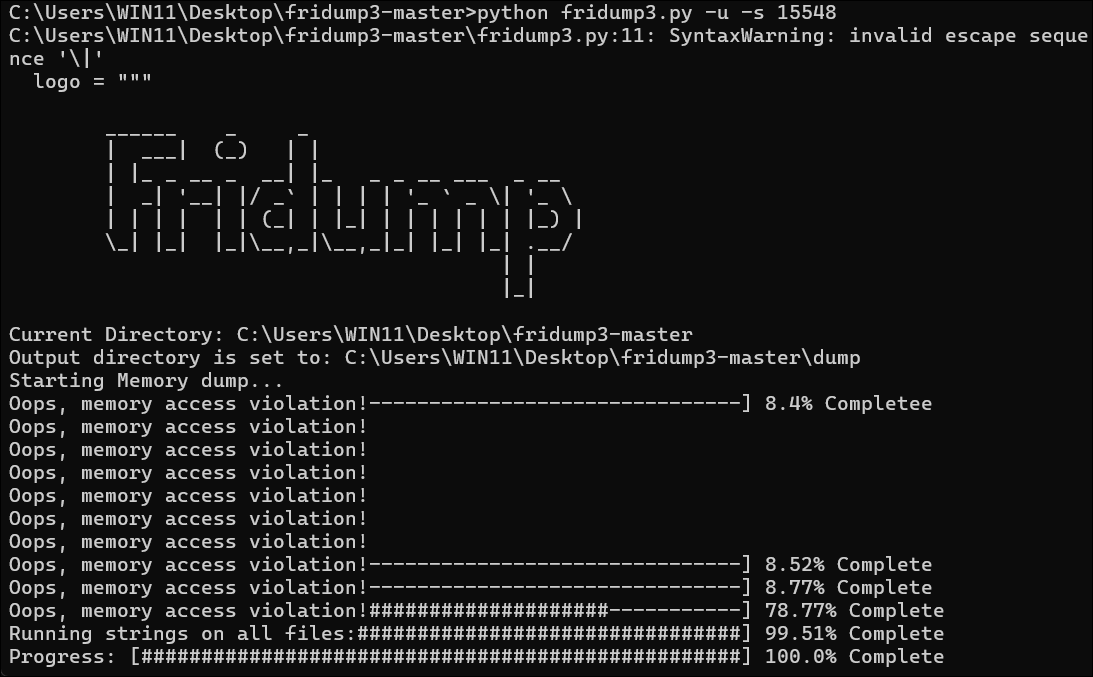
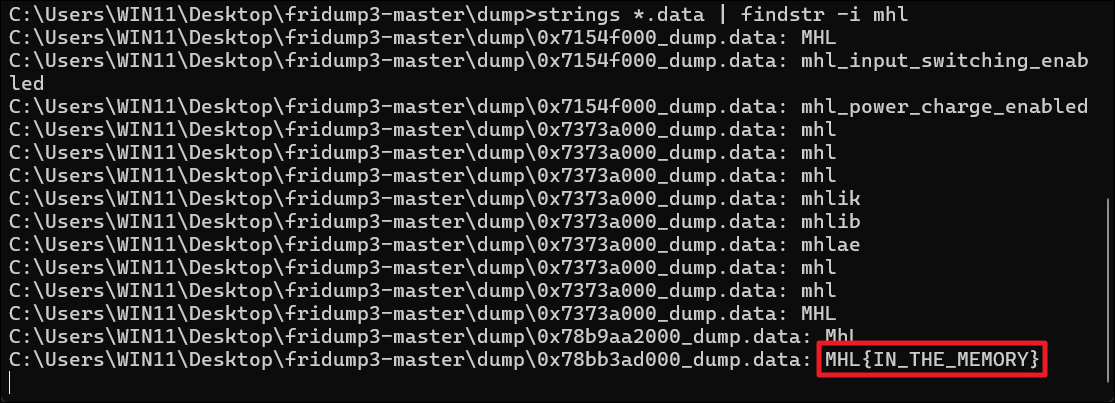
문자열 검색 시 메모리 내에 플래그가 있음을 확인했습니다.
Comments
Sign in with GitHub to leave a comment.